Codex on your iPhone. 100% free.
Codex keeps running on your own Mac, Windows PC or Linux machine, with the ChatGPT login it already has. Codync turns it into named bots you message, approve and follow from your iPhone, for free.
Codex as named bots
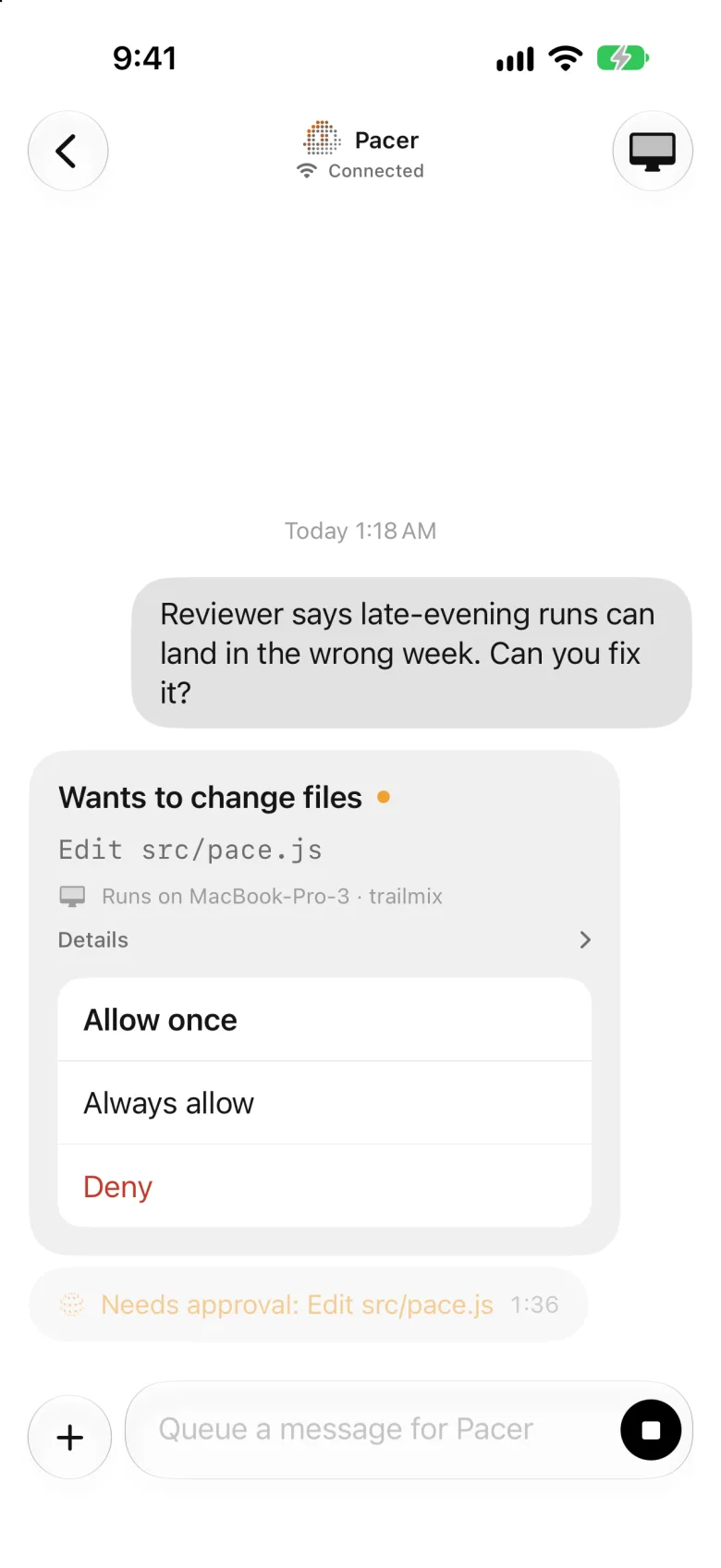
Give each Codex bot a name, a project folder and instructions. Each keeps one ongoing chat, and you see its final reply for every turn.
Approve from your phone
When Codex wants to edit a file or run a command, the request comes to your iPhone: allow once, always allow or deny.
Pinged only when it matters
A notification when a bot needs you or finishes, plus a Live Activity and the Dynamic Island while it works.
Your limits at a glance
Your Codex 5-hour and weekly limits, read locally from Codex's own session files, show on the phone, in widgets and in the Mac menu bar.
Set it up in four steps
- 1
Install Codync on your computer
On a Mac, download the app or run brew install --cask leepokai/codync/codync. On Windows, run the installer. On Linux, use the install script.
- 2
Sign in to Codex there
Codex signs in with your ChatGPT plan on the computer, as it always does. Codync never sees or calls the OpenAI API with it.
- 3
Create a Codex bot
Pick Codex as the bot's agent and choose the folder it works in.
- 4
Pair your iPhone
Get Codync from the App Store and scan the pairing code from the Mac menu bar, or the Windows or Linux app.
Questions
Can I use Codex on my iPhone?
Yes. Codync is a free iPhone app that runs Codex on your computer and lets you chat with it, approve its commands and edits, and get notified when it needs you or finishes.
Does it work with my ChatGPT plan?
Yes. Codync runs the Codex you already signed in to on your computer, so it uses whatever plan or key Codex uses there.
Can I use Codex and Claude Code together?
Yes. Each bot picks its own agent, and a group chat can mix them: a Codex bot and a Claude Code bot can review each other's work in the same room.
What do I need on the computer?
A Mac, Windows PC or Linux machine with Codex installed and Node.js (Codync starts Codex through its ACP adapter with npx).
Using more than Codex? Codync runs Claude Code, Codex, Cursor, Gemini, Copilot and about 40 more agents. See everything Codync does or compare it with other apps.